Free resume builder
Pick a template, type your details and watch your resume take shape. It saves as you go and downloads as a PDF.
How it works
- Choose a templateTwelve designs for freshers, professionals, creatives and leaders. Switch any time without losing your details.
- Fill in your detailsType on the left and see the page update on the right. Your work saves automatically.
- Download your PDFOne click gives you a clean A4 or Letter file with selectable text.
12 resume templates for every stage of a career
Each template is free, and each has its own page showing who it suits best.
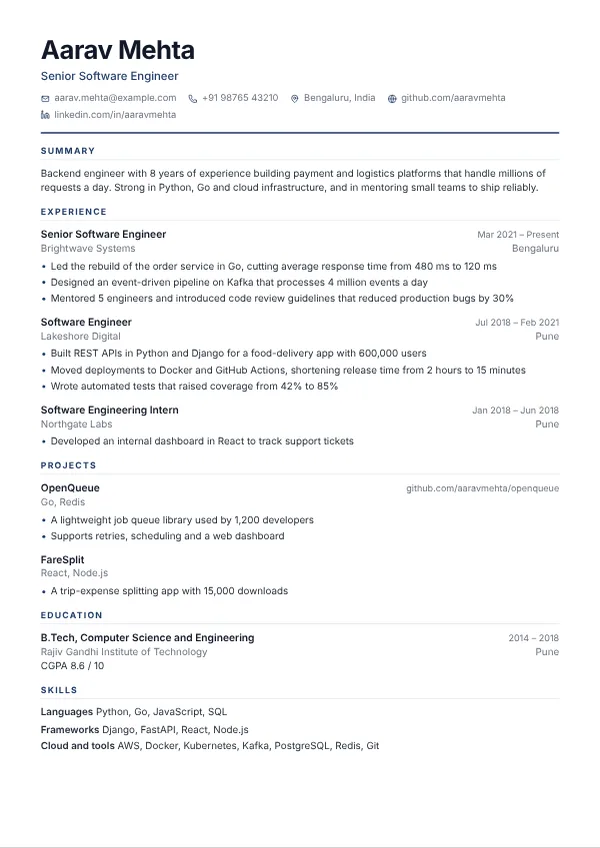 MeridianClean single column, built for online application portalsBest for software engineers, data analysts and anyone applying through job portals or to global companies
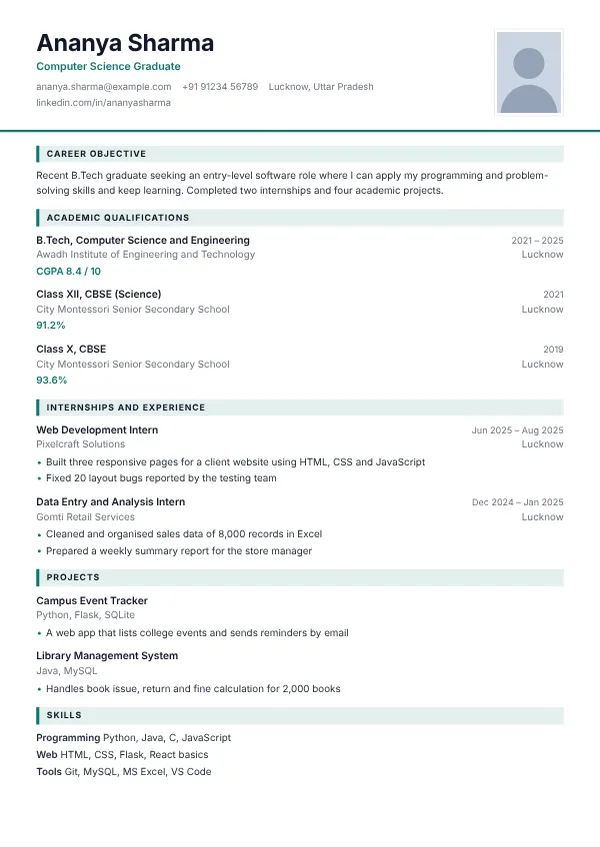 Campus ReadyThe traditional Indian fresher format, with an optional photoBest for freshers, campus placements, government and large service-company applications
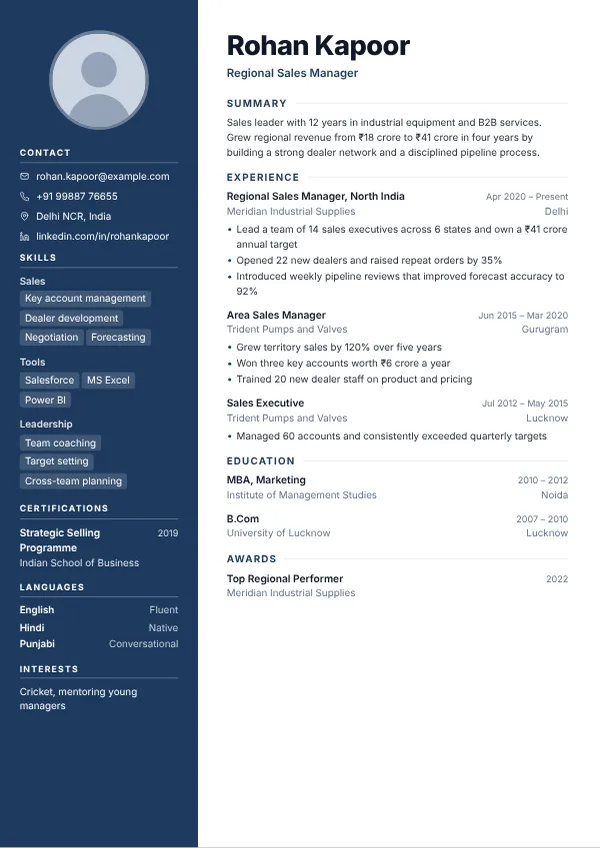 NorthstarBold colour sidebar with a round photoBest for managers, sales and operations professionals with 5 to 15 years of experience
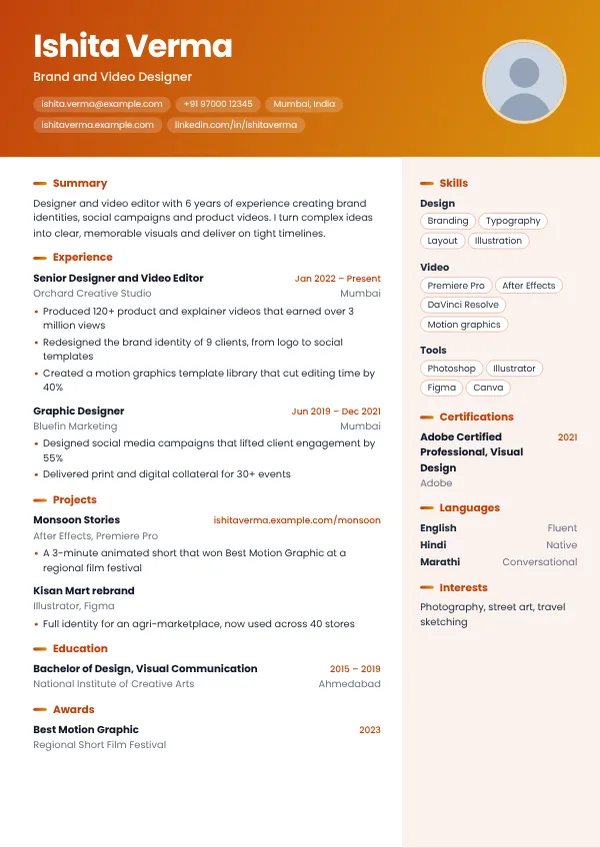 EmberColour-banded header for people whose work is visualBest for designers, marketers, video editors and content creators
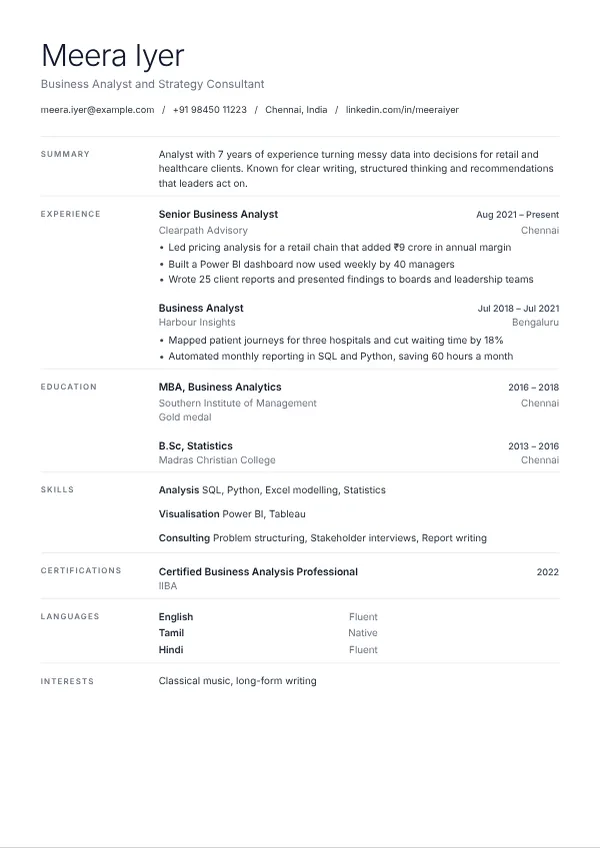 SlateQuiet, typographic and full of white spaceBest for consultants, analysts, researchers and writers
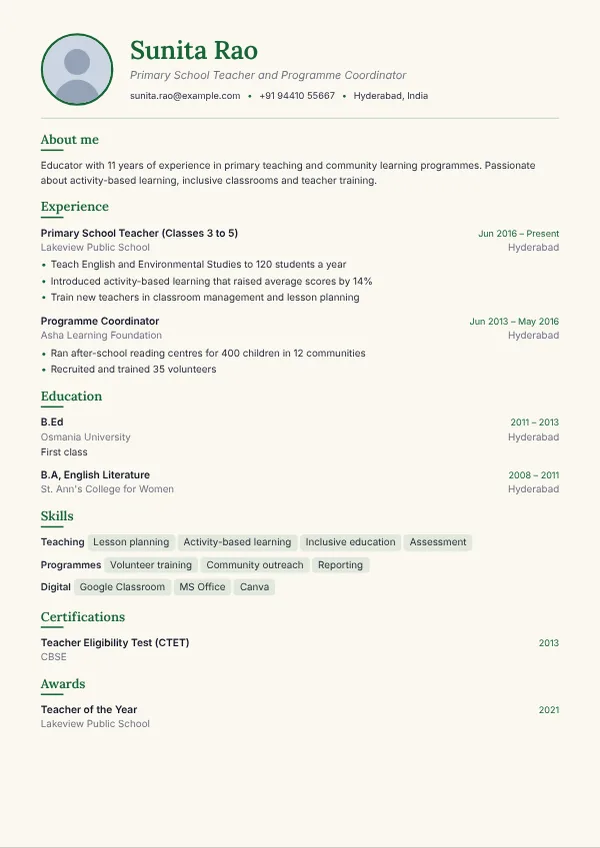 VerdantWarm paper tone with serif headings and a green accentBest for teachers, NGO and programme staff, sustainability and wellness roles
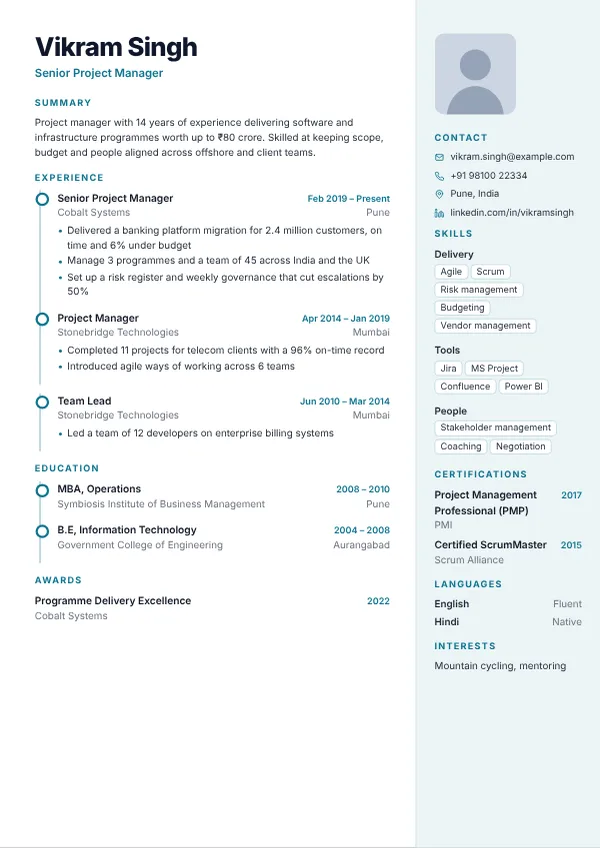 TimelineA vertical career line that shows progress at a glanceBest for project and programme managers with 8 or more years of experience
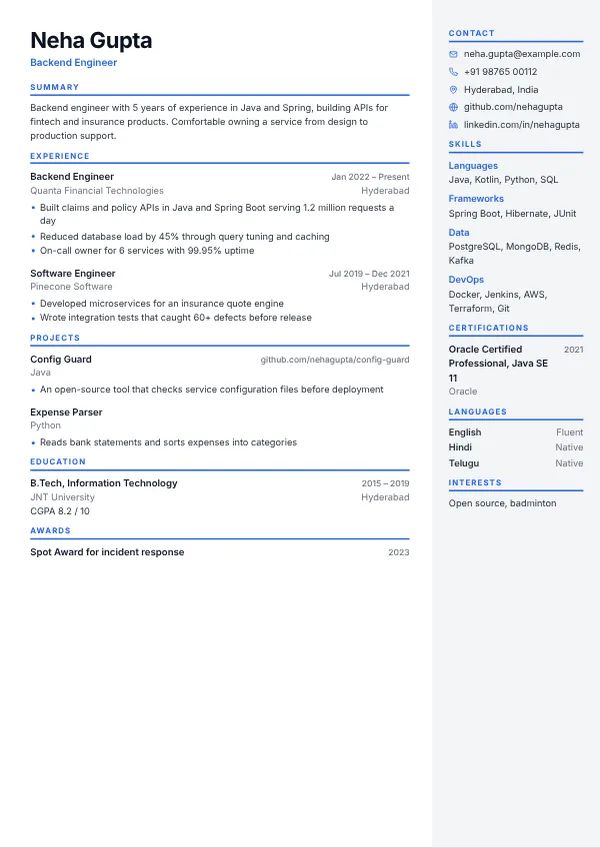 Compact ProDense two-column page that holds a lot on one sheetBest for engineers with 3 to 10 years of experience and a long skills list
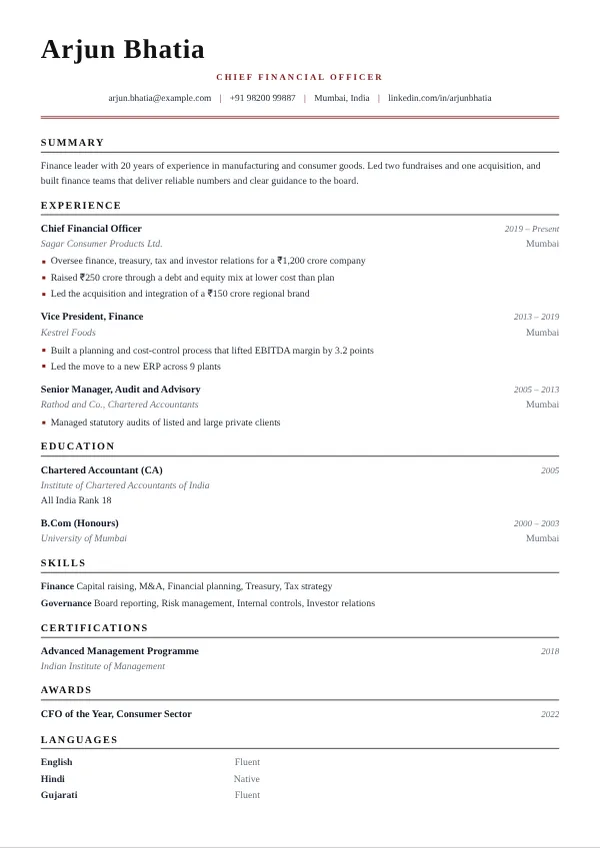 ExecutiveClassic serif page with a refined double ruleBest for senior leaders, finance, legal and company-secretary professionals
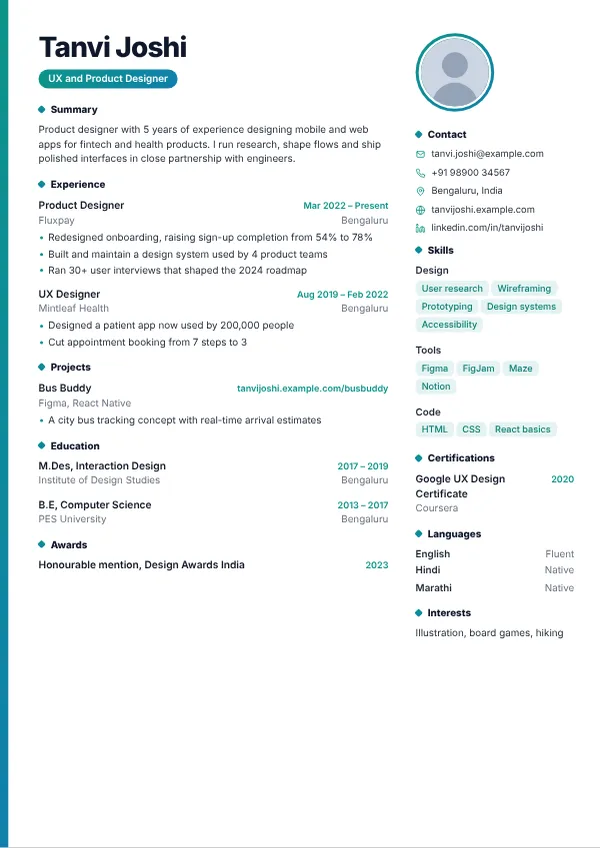 AuroraModern gradient accent with skill chipsBest for uX and product designers, full-stack developers, startup and AI roles
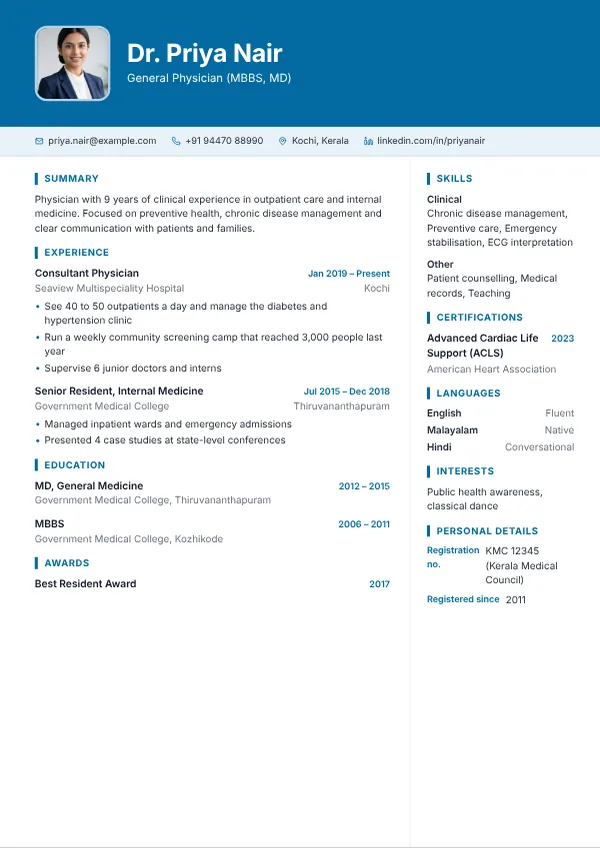 ClinicCalm blue and white with room for registration detailsBest for doctors, nurses, pharmacists, lab and allied health professionals
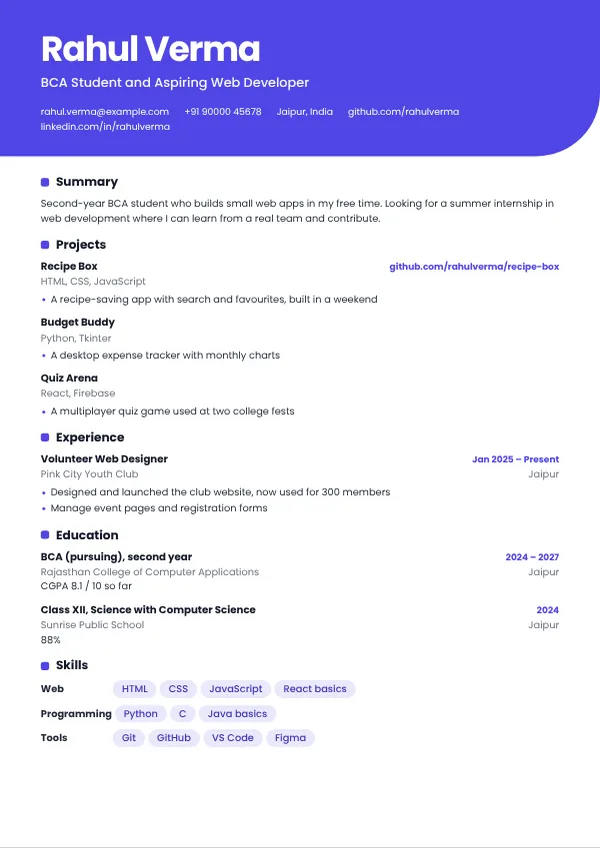 SparkBig name block, projects first, one confident pageBest for students, interns and career changers with projects but little experience
Resume tips for job seekers in India
Use a single-column template when you apply through an online form, and a designed two-column template when you send your resume to a person. Keep dates in one format, use the same job titles you use on LinkedIn and Naukri, and put your strongest result near the top of each role. A photo, date of birth and address are optional. Include them only when the employer asks for them, and leave them out for product companies and global employers.
Resume builder questions
Is the OHGOI Resume Builder really free?
Yes. All 12 templates, the live editor, automatic saving and the PDF download are free. A Premium plan adds editable Word (DOCX) and PowerPoint (PPTX) downloads and the option to upload an existing resume for automatic reformatting.
Which resume template is best for online application systems?
Single-column templates are the safest choice because software reads them in a simple top-to-bottom order. In this builder, Meridian, Slate, Executive, Verdant, Spark and Campus Ready are single-column. Two-column templates look more designed, so use them when a person, not software, is likely to read your resume first.
Should I put a photo on my resume in India?
It depends on the employer. Traditional Indian formats, campus placements and some government forms accept or expect a small photo. Product companies, startups and most global employers prefer no photo. Every template here lets you hide the photo with one click.
How long should my resume be?
One page is usually enough with less than three years of experience. Two pages suit most experienced professionals. Past that, the most recent ten to fifteen years matter most. The preview shows exactly where each page ends.
How do I download my resume as a PDF?
Press Download PDF, then choose Save as PDF in the print window that opens. The text in the file stays selectable, so employer systems can read it.
Is my resume private?
Until you create an account, your resume stays in your own browser on your own device. If you create an account, your resumes are stored on the OHGOI server so you can open them on any device. You can delete any resume, or your whole account, whenever you like.
Can I get my resume in Word or PowerPoint?
Yes, with Premium. Premium members can download their resume as an editable DOCX or PPTX file. Sign in, press the upgrade button in the toolbar and we will activate it for you.
Do I need to create an account?
No. You can build and download a resume without one. An account lets you save several resumes and open them on any device.